
For siding contractors
Software for siding contractors
Every siding job opens a wall, and every wall can hide rot. Northdesk gets the change order approved before you fix it, keeps the crew and the material on schedule, and keeps the photos to prove it.
Surprises behind the old siding
Siding jobs are priced from the outside, and the surprises are on the inside: rotted sheathing, bad flashing, a window that needs to come out. If the owner doesn’t approve the extra before the crew fixes it, it often doesn’t get paid. Add weather delays and material that comes in late, and the margin disappears.
Change orders approved on the spot
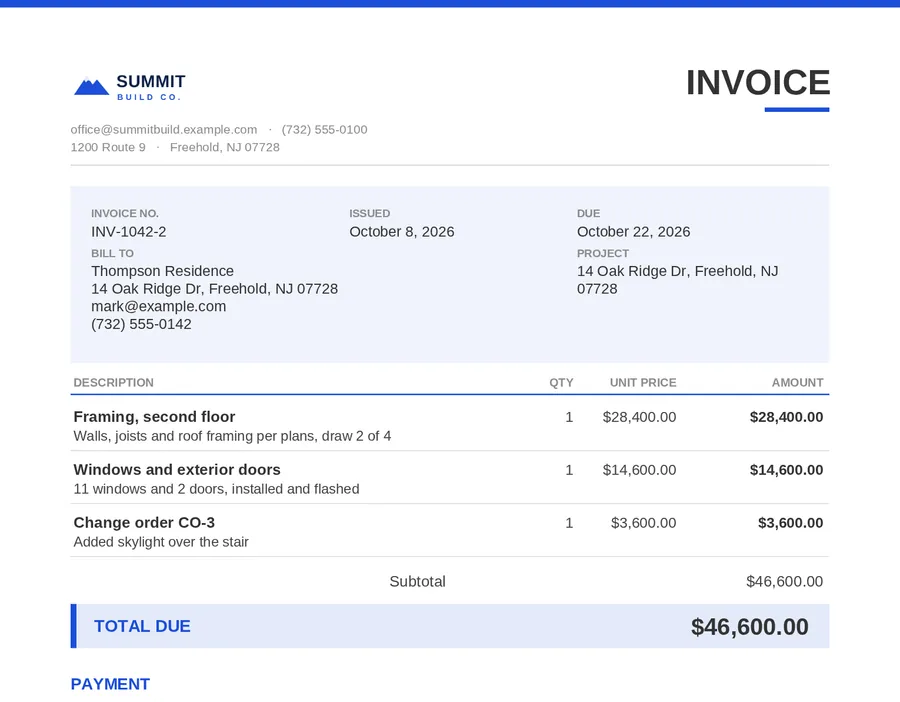
The crew photographs what they found; the office sends a change order from the project and the owner approves it online, before the work. It flows into the invoice. Estimates, change orders and invoices.
Material on the right day
Order siding, trim and wrap from your supplier inside the project; they confirm on a link and you receive the delivery into inventory. Leftover material is counted in the yard or the truck for the next job.
Crews, subs and weather
- The crew schedule with the forecast for each job site.
- Crews clock in by job, and subs sign in with the project’s QR code.
- End-of-day photos of each elevation, so you and the owner can see the progress.
- Messages per project, translated between English and Spanish.

Leads and estimates
Dex answers new leads right away in your company’s name and asks for photos of the house. Estimates go out with your logo and are approved online; Dex can draft them from your own past prices. On site, the free roof pitch calculator helps with gable ends, and Dex answers measurement questions on the calculators page.
Questions people ask
How do siding contractors handle change orders?
In Northdesk, send the change order from the project with the photos and the owner approves it online before the work. It flows into the invoice.
Can I order siding material from the job?
Yes. Material orders go to your supplier from the project; they confirm on a link and you receive into inventory.
Does it show the weather?
Yes, the forecast for each job site next to the schedule.
Can subs sign in on site?
Yes, with the project’s QR code, no account needed.
How do we get started?
Schedule a demo. Companies sign up through Managed Softwares, and the team sets Northdesk up around your company: your name, logo, colors and only the parts you use.
Free calculators for this work
Related
- Roofing contractorsAfter a storm the phone doesn’t stop, and every lead wants an answer today.
- Estimates and invoicesEstimates, change orders, invoices and statements go out with your logo and colors, emailed in your company’s name.
- Construction schedulingThe calendar and crew schedule show who is on which project each day.
- AI estimating and takeoffDex reads your plans for quantities with the AI takeoff add-on, then drafts the estimate from your own prices, sections and wording.
Run the day from one desk.
We’ll set Northdesk up around your company: your name, your logo, only what you use. Dex will book you a walkthrough with our team.