
AI estimating
AI estimating for contractors, priced the way you price
Dex reads your plans for quantities with the AI takeoff add-on, then drafts the estimate from your own prices, sections and wording. You check it, change it, and send it.

Why estimating eats your nights
For most contractors the estimate is where the money is made or lost, and it is also the job that gets done at the kitchen table after the crew goes home. Measuring plans by hand, building a material list, remembering what you charged last time and writing the same exclusions again takes hours per bid.
Northdesk splits that work in two: the measuring (takeoff) and the pricing and writing (the estimate). Dex helps with both, and you stay in charge of the number.
AI takeoff from your plans (add-on)
Pick the plan files on a project, choose your trade and the work types to look for, and Dex reads the plans. You get:
- Measurements and a material list with quantities, grouped by part of the job.
- The scope of work and the order of operations.
- Its assumptions and questions spelled out, so you can confirm what it couldn’t read.
Open the takeoff as sheets, export it to Excel, or get a marked-up plan. Foundation and site-work takeoffs go straight into the estimate. AI takeoff is an add-on a company switches on.
Estimate drafts from your own numbers
When a project has its scope, Dex can draft the estimate. The quantities come from the project and the takeoff. The prices come from your company’s own records: what you taught Dex, your past estimates, your saved items and your vendors’ prices. Dex writes the wording around them: the sections, the inclusions, the exclusions and the assumptions, in the format you use.
It learns your style from the estimates you have already sent: whether you show a lump sum or a price per section, your usual terms, how long your prices are good for. Each correction you make is remembered, and you can see and forget anything Dex learned.
Labor stays internal. Your crew-days and labor cost are used to price the work, but the client sees the scope priced your way.
Nothing goes out until you press Send
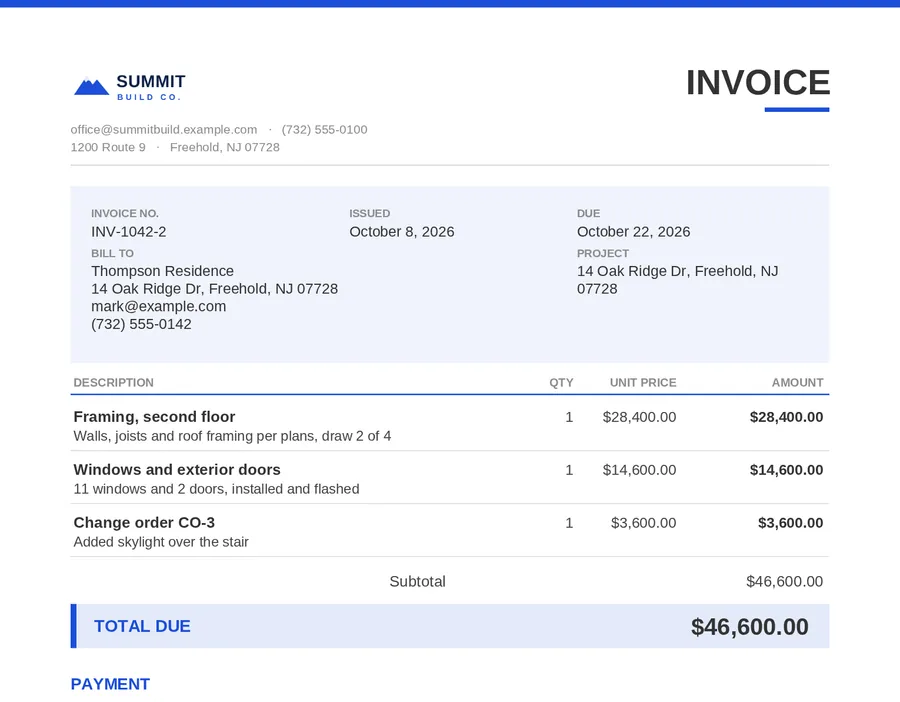
Dex saves a draft. You open it, change what you want, and send it with your logo and colors, emailed in your company’s name. Clients approve the estimate online, and an approved estimate becomes the invoice when the work is done. See estimates and invoices.
Quick numbers on site
For the quick math, the free calculators cover concrete yards, block counts, pavers, roof squares and more, and Dex answers those questions in plain words too.
Questions people ask
Can AI do a construction takeoff?
Yes, for the parts it can read clearly on the plans. Northdesk’s AI takeoff add-on gives measurements, quantities, scope and order of operations, and lists its assumptions and questions so you can confirm them before you price.
Where do the prices on a Dex estimate come from?
From your company: prices you taught Dex, your past estimates, your saved items and your vendors’ prices on material orders. Dex does not invent prices.
Will Dex send an estimate without me?
No. Dex saves a draft. A person reviews it and presses Send.
Is AI takeoff included?
AI takeoff is an add-on. Estimates, invoices and online approval are part of Northdesk.
Can I export the takeoff?
Yes: open it as sheets, export to Excel, or get a marked-up plan.
Free calculators for this work
Related
- Estimates and invoicesEstimates, change orders, invoices and statements go out with your logo and colors, emailed in your company’s name.
- Bid requestsPick the plans, choose subs from your list or type an email.
- Concrete contractorsPours that move with the weather, footings measured off the plans, finishers on the right site at 6 AM, and an inspector who signs in before you pour.
- AI assistant for contractorsDex is the assistant built into Northdesk.
Run the day from one desk.
We’ll set Northdesk up around your company: your name, your logo, only what you use. Dex will book you a walkthrough with our team.